


CareCredit Mobile
4.217.40K Reviews
App Specs
- Version
- 6.5.1
- Updated On
- License
- Free
- Downloads
- 1,000,000+
- Developer
- Synchrony
- Categories
- Finance
- Platform
- Android, iOS
Screenshots

 Analysis by AppCompare
I find CareCredit Mobile most useful when I treat it as a focused account tool rather than a complete money-management app. It puts the everyday tasks tied to a CareCredit account on a phone, which can be convenient when a healthcare expense needs attention away from a computer. The trade-off is clear: it is designed around one account, not around organizing someone’s entire financial life.
A focused tool for healthcare spending
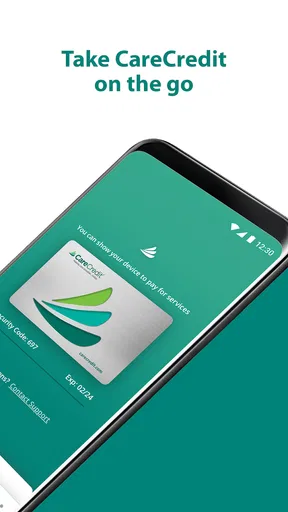
CareCredit is a health-focused credit card, and the app’s purpose makes more sense in that context. If you already use the account, having a mobile place to check account details, make payments, and use a digital card can save a few steps. I would not choose it as a general banking app or expect it to replace a broader budgeting service; its value is in keeping CareCredit tasks close at hand.
That narrow scope can be a strength when you are dealing with a medical, dental, vision, or other eligible healthcare expense and want to keep the related account activity easy to revisit. It can also make the app less compelling if you rarely use CareCredit or prefer to manage every bill through your bank. The best reason to install it is a practical one: you want mobile access to this particular account, not another all-purpose finance dashboard.
Planning before a charge matters
The payment calculator is especially worth using before committing to a larger expense. I would treat its estimate as a planning aid, not as a promise about the total cost of borrowing or a substitute for reviewing the terms that apply to a purchase. That distinction matters because a monthly figure can feel manageable on its own while still needing to be considered alongside the full balance and your other regular bills.
A sensible workflow is to check the account, consider what you can comfortably pay, and use the calculator to think through a possible monthly amount before making a decision. Then, after a charge, transaction history gives you a place to check what has posted and compare it with your own records. This two-step habit—plan first, verify later—is more useful than opening the app only when a due date is already close.
For example, imagine you are arranging a healthcare visit during a busy week and expect to use your CareCredit account. You could review the account on your phone beforehand, use the calculator to think about the payment burden, and check the transaction history afterward. When it is time to pay, the mobile payment option may spare you from finding a desktop. That is a realistic convenience, though it does not remove the need to read the account details carefully or keep an eye on your overall budget.
Where it fits among finance apps
Compared with a bank’s app, this is a more specialized companion: it centers on CareCredit rather than everyday deposits, transfers, and bills. Compared with a budgeting app, it is more directly tied to account actions but is not positioned as a place to bring together all of your spending. If you mainly want one screen for multiple cards, household bills, and savings goals, your bank or a dedicated budget tool is likely a better fit.
Worth Reading Before You Choose

EA SPORTS FC Mobile 26 Is a Bigger Football Game, but It Takes Time

Flipboard Shows What News Apps Must Do Beyond the Feed

Switching to Android Auto Means Rethinking Your Driving Routine

Google Calendar Makes a Crowded Week Easier to Manage

Ludo King Makes the Most of the Minutes Between Plans

Baby Panda World Brings Quick Play to Modern Phones, but Its Game Library Feels Busy
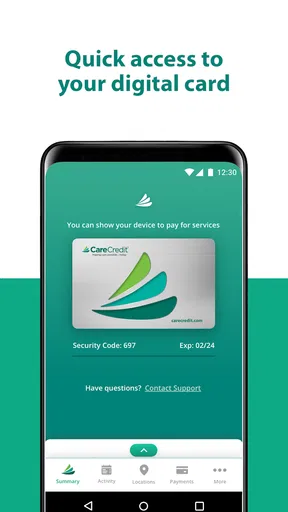
For existing account holders, though, a specialist app can be more convenient than repeatedly using a mobile browser or waiting until you can sit at a computer. The digital card is another reason to keep the app available when you want access to the account from your phone. I would still check that the card and account are ready for the situation where I intend to use them rather than assuming that installing the app alone handles every step.
CareCredit Mobile is a free finance app from Synchrony. It has a 4.2 average from around 44,000 ratings, and more than a million installs. Its Everyone age rating makes it broadly accessible, while the account itself is most relevant to people who have or are considering CareCredit. The app first arrived in 2015, and version 6.3.1 is the current release for devices running iOS 11 or later.
Getting Started with CareCredit Mobile
First things first, downloading CareCredit Mobile is a breeze. Available on both Android and iOS, I found it in my app store in seconds. Once downloaded, the setup is straightforward. You’ll need to sign in with your CareCredit account or register a new one if you’re a newbie. This process is quite user-friendly, guiding you through step-by-step.
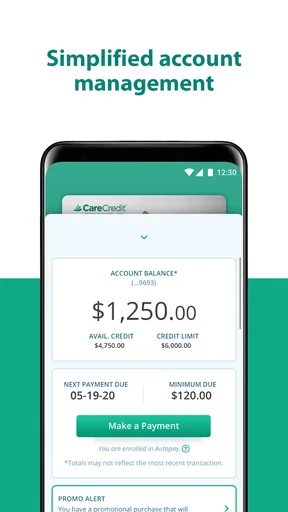
The design of the app is sleek and intuitive. It’s like a breath of fresh air compared to some clunky financial apps out there. The home screen is clean, giving you a snapshot of your account balance, available credit, and payment due dates. It's all the essentials right there, at your fingertips.
Features That Shine
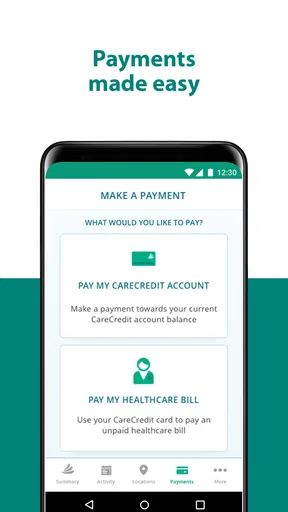
The app boasts a range of features aimed at making your life easier. One of the standout elements is the ability to make payments directly through the app. I was impressed with how smooth this process was. No more logging into a desktop site; it’s all here, streamlined for mobile.
Another feature I appreciated is the payment calculator. It’s a nifty tool that helps you estimate monthly payments based on the amount you plan to spend. This is perfect for those big-ticket procedures or expenses that might need a little financial planning.
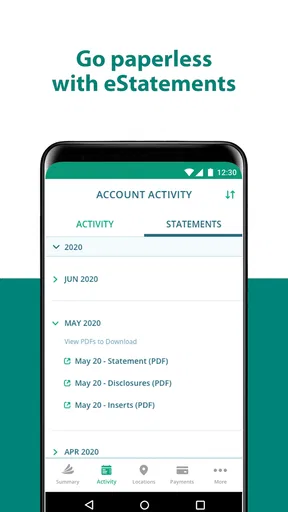
Monitoring your transaction history is also a breeze. The app keeps a detailed list of all transactions, making it easy to track spending and ensure everything is as it should be. This feature gives me peace of mind, knowing I can always double-check past payments without a hassle.
Security and Peace of Mind
Security is a biggie when it comes to financial apps, and CareCredit Mobile doesn’t skimp here. It offers biometric login options, like fingerprint or facial recognition, depending on your device. This added layer of security makes me feel more at ease using the app regularly.
Additionally, you can set up account alerts. These alerts notify you of upcoming payment due dates or any suspicious activity on your account. It’s like having a personal financial watchdog looking out for you 24/7.
Room for Improvement
While the app is pretty solid, there are a couple of areas where it could improve. For example, the app doesn’t yet offer integration with popular budgeting tools or apps. This would be a great feature for users who enjoy having all their financial data synced up.
Another potential improvement could be in offering more personalized financial advice through the app. As it stands, the app provides tools and information, but having an in-app advisor or tips tailored to your spending habits could elevate the user experience even further.
Who should keep it—and who can skip it
I’d recommend it to current CareCredit users who want to check their account and handle routine tasks on the go, especially if healthcare expenses are occasional but important enough that they deserve close attention. It can also suit someone who prefers a quick account check on a phone instead of signing in through a browser. The app’s focused nature is useful here: you can keep healthcare-related account activity separate in your mind from ordinary banking.
I’d skip it if you do not have a CareCredit account and have no reason to apply for one, or if your main goal is to track every account, card, and household expense in one place. It is also not a substitute for reviewing the financial terms of a healthcare purchase. The app can make account management easier, but it cannot decide whether a charge or repayment plan is right for your budget.
One small practical point: alerts can help draw attention to a due date, but I would use them as reminders rather than as my only method of staying current. Keeping a separate note of a planned payment or checking the account after making one gives you a second way to confirm that your routine is on track. That is particularly useful when an expense is part of a hectic stretch involving appointments, work, and other bills.
What to expect from regular use
For a first-time user, the key question is whether you can sign in with an existing account or need to register first. Once that is settled, the app is most useful for recurring checks: looking at the balance and due date, making a payment, and returning to transaction history when you need to identify a charge. I would keep those tasks grouped into a short weekly or monthly check rather than relying on memory when an expense is time-sensitive.
If you are comparing it with paying through a bank’s bill-payment feature, the choice comes down to convenience and visibility. Paying from a bank app may keep more of your bills together; using CareCredit Mobile keeps the account’s own balance, history, and payment tools in one dedicated place. Neither approach is automatically better. I’d choose the one that makes it easiest for me to confirm what I owe and remember when I need to act.
The digital card can be handy when you want the account available on your phone, but I would not assume it removes every checkout or account requirement. Before relying on it for a planned purchase, check that you can access it and that the merchant and transaction fit your intended use. This is a small bit of preparation that can prevent the app from becoming an unexpected point of friction at the moment you need it.
Wrapping It Up
All in all, CareCredit Mobile is a robust app that makes managing healthcare expenses less of a headache. It’s easy to navigate, packed with useful features, and offers the security you need when dealing with financial data. Whether you’re already a CareCredit user or considering it as an option, the app is worth checking out.
So, if you’re looking for a way to keep those healthcare expenses in check without pulling your hair out, give CareCredit Mobile a whirl. It might just be the financial companion you didn’t know you needed.
Pros
- Easy-to-use interface for quick navigation.
- Secure login with biometric authentication.
- Instant notifications for transactions and payments.
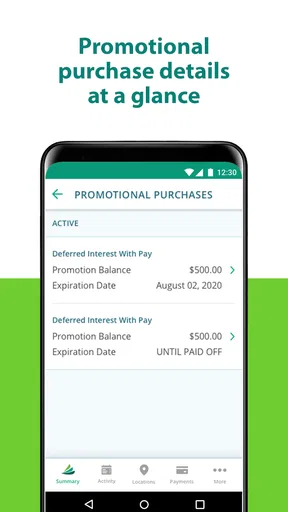
- Access to promotional financing offers.
- Supports multiple account management.
Cons
- Limited customer service contact options.
- No in-app chat support available.
- Occasional syncing issues with transactions.
- Limited customization for notifications.
- No dark mode for nighttime use.
FAQs for CareCredit Mobile
What is CareCredit Mobile and what can I do with it?
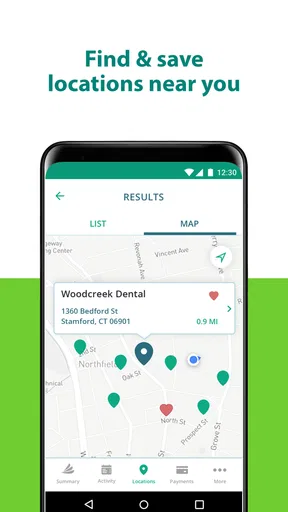
CareCredit Mobile is a user-friendly app designed to help you manage your CareCredit credit card account on the go. With this app, you can conveniently view your account details, pay bills, monitor transactions, and find healthcare providers that accept CareCredit. It's a great tool for staying on top of your healthcare financing needs.
How secure is the CareCredit Mobile app?
The CareCredit Mobile app prioritizes user security by employing advanced encryption and security measures to protect your personal and financial information. It requires login credentials and offers additional security features like biometric login, ensuring that only you can access your account details.
Is the CareCredit Mobile app free to use?
Yes, the CareCredit Mobile app is completely free to download and use. However, it’s important to note that while the app itself doesn’t charge fees, you will still be responsible for any charges or interest accrued on your CareCredit account as per your cardholder agreement.
Can I use CareCredit Mobile to make payments?
Absolutely! The CareCredit Mobile app allows you to make payments directly from your mobile device. You can schedule payments, view your payment history, and set up autopay to ensure you never miss a due date, making it easier to manage your account efficiently.
Does CareCredit Mobile offer customer support?
Yes, the CareCredit Mobile app provides access to customer support. You can find help through the app's support section, which includes FAQs and contact options for further assistance. Whether you have questions about your account or need technical help, support is readily available.


